
Note: Only Account Admins can add seats/licenses to the team.
To add seats:
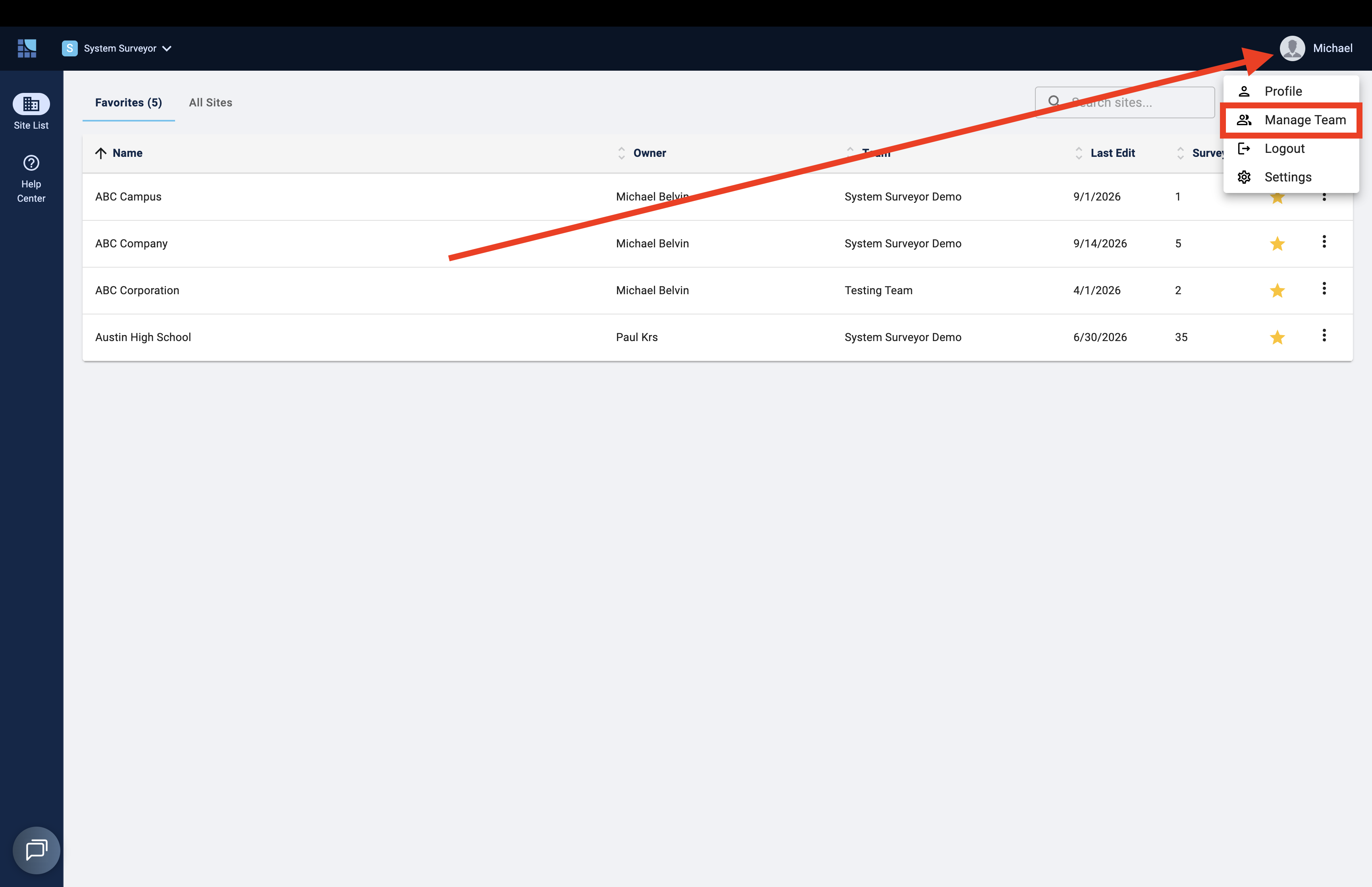
- Click your user avatar at the top right corner of the Site List screen
- Select Manage Team
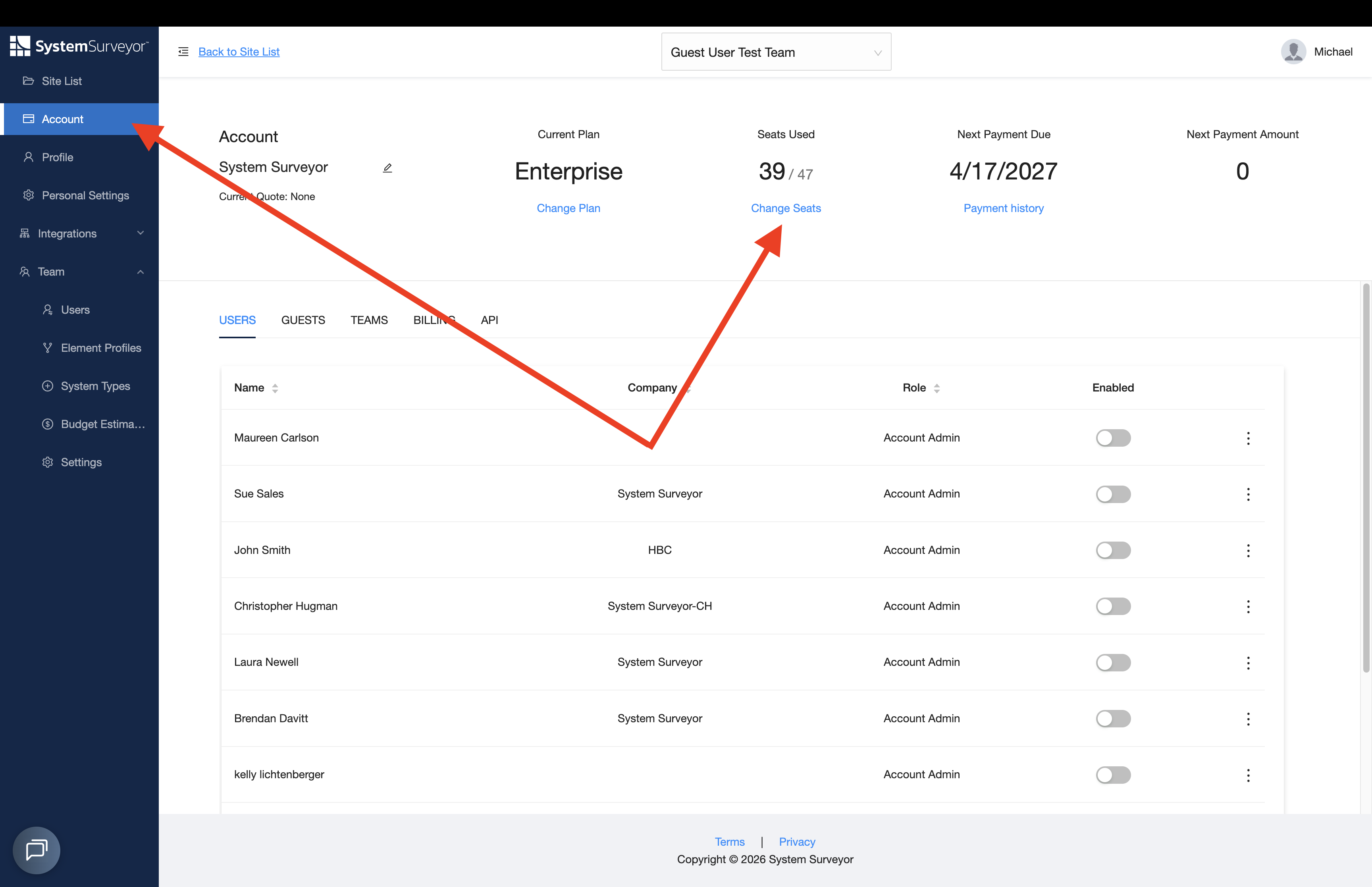
- Click the Account tab
- Click Change Seats to adjust the total number of desired seats
Tip: In order to invite team members, navigate to the Team tab.