If you are having an issue with a specific Survey, you can report that Survey individually.
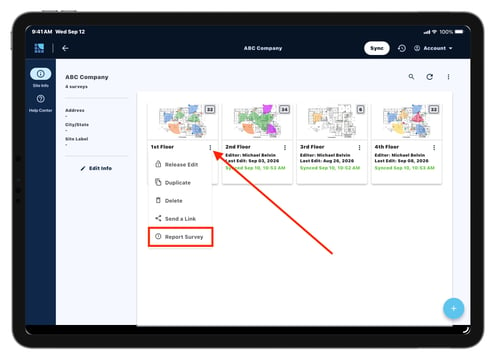
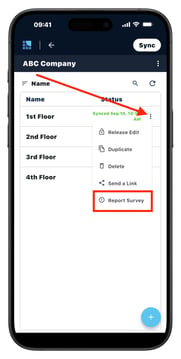
To report Survey from tablet app:
- Tap the three dots below the survey
- Tap "Report Survey"
- This will generate a ZIP file
- Email ZIP file to support@systemsurveyor.com
If you are experiencing issues with multiple Surveys, or if your Survey has been deleted and needs to be recovered, please report all Survey Logs from your tablet app.
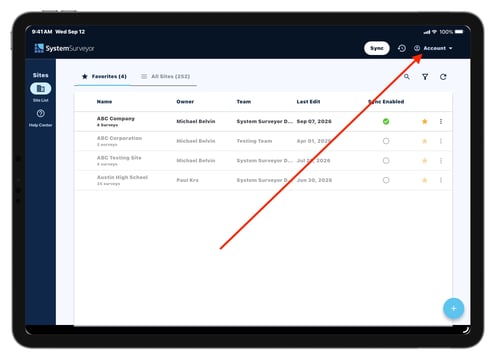
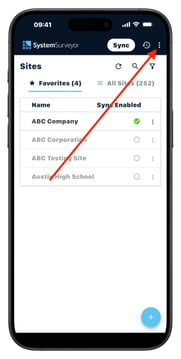
To report Survey Logs:
- Tap the "Account" menu in the upper right corner
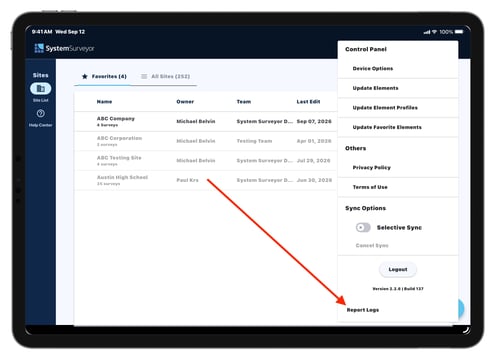
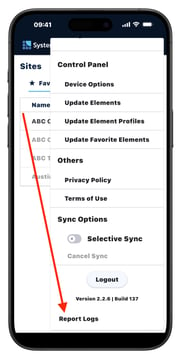
- Tap "Report Logs" at the bottom of the Account Menu
- This will generate a ZIP file
- Email that ZIP file to support@systemsurveyor.com
Note: If the ZIP file is too large to send via email, please upload the file to a shared drive (ex. Google Drive, OneDrive, etc.) and provide us with a public link to access it.